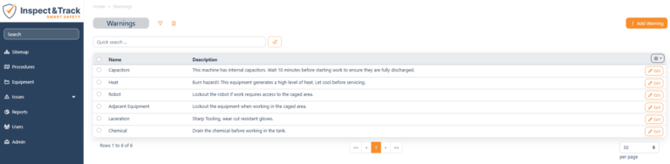
The Warning options are all controlled by drop down in order to keep your system consistent, and this screen controls the information in those drop downs. You can edit the default text of any warning by double clicking on one from the list. You can also create a new Warnings using the Add Warning button.